


X8 Sandbox APK
X8 Developer
- Version
- 0.7.7.6.19
- Size
- 503.6 MB
- Android
- 5.1+
- Category
- Tools
Screenshots
What's new
Version 0.7.7.6.19 is the newest build on APKBlade, updated 21 July 2026.
Unlock gaming fun with X8 Sandbox APK - no lag, dual accounts, and no root needed!
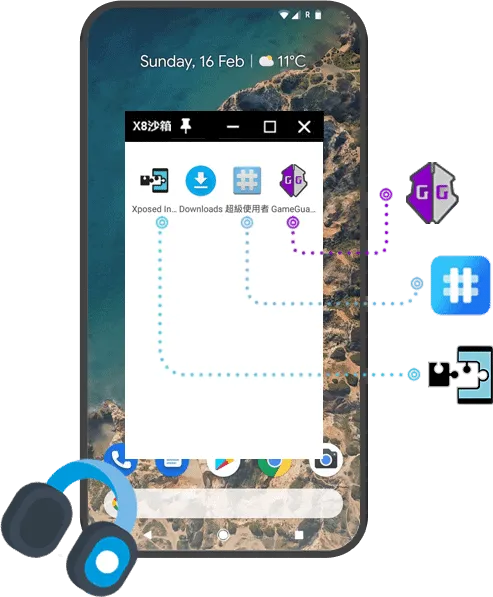
X8 Sandbox APK is a unique app for Android. It creates a virtual space on your phone. In this space, you can run games and apps separately from your primary phone.
It’s like having a second phone inside your phone! Awesome, right? With X8 Sandbox, you can have double gaming fun without any problems.
How Does X8 Sandbox Work? Explore Its Cool Features!
X8 Sandbox makes a stable virtual environment on your device. This environment doesn’t drain your phone’s battery or memory. You don’t need any special permissions to use it. It keeps your main phone untouched while letting you play freely in the virtual space.
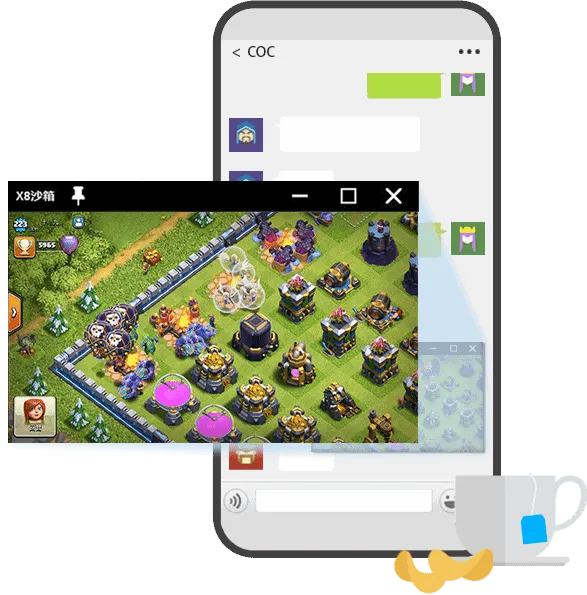
The best part? No more laggy gameplay! X8 Sandbox gives you a super smooth gaming experience. It’s really easy to set up, too. Just install it and start using it right away! You can even open a small window of the game you’re playing while using other apps. This helps you multitask easily.
So what are you waiting for? Download the X8 Sandbox APK now! Enjoy uninterrupted gaming sessions with multiple accounts. No root needed, no hassles – just pure gaming bliss!
Dual Account is an excellent feature. It lets you run two copies of the same app at once. This is perfect for keeping work and personal accounts separate.
Why Choose X8 Sandbox?
There are many good reasons to use X8 Sandbox on your Android device. Here are a few:
- You don’t need to root your device. Rooting can be risky and may void your warranty. X8 Sandbox works without rooting.
- The modded version has no annoying ads. Your experience will be smooth and uninterrupted.
- X8 Sandbox is free to use. You can try games and apps without paying. Often, the modded versions unlock VIP features, too.
How to Download and Install X8 Sandbox APK
Now for the fun part – getting X8 Sandbox on your Android! Follow these simple steps:
Step 1: Download the APK
Download the X8 Sandbox APK right from this post. We provide a safe download link. No need to look elsewhere.
Step 2: Allow Installation from Unknown Sources
Before installing, allow installations from unknown sources. Go to Settings > Security or Privacy. Turn on Unknown Sources.
Step 3: Install the APK
Once downloaded, open the APK file. Tap Install. In a few moments, X8 Sandbox will be installed on your device.
Step 4: Open X8 Sandbox
After installation, open the X8 Sandbox app. You’ll be greeted with a simple interface where you can start cloning apps and playing games without restrictions.
Tips for Using X8 Sandbox
To make the most out of X8 Sandbox, here are some helpful tips:
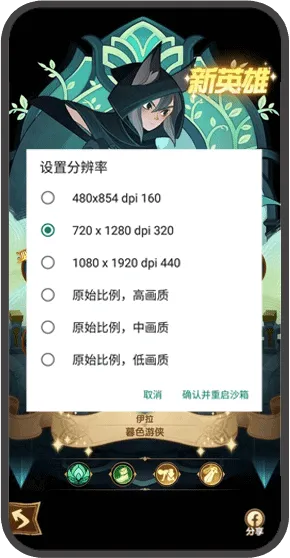
- Optimize Performance: Adjust the settings within X8 Sandbox to optimize performance based on your device’s capabilities.
- Use PIP Mode: Take advantage of the Picture in Picture mode to watch videos or monitor other apps while gaming.
- Manage Storage: Keep an eye on the storage used by the cloned apps within X8 Sandbox to ensure your device runs smoothly.
Conclusion
X8 Sandbox APK is a game-changer for Android users who want to push the boundaries of their devices. Its user-friendly interface, ad-free experience, and powerful features make it an essential tool for anyone looking to enhance their gaming or app usage. Download it now and enter a world of limitless possibilities on your Android device.
Remember, with X8 Sandbox, you’re not just playing games; you’re redefining how you interact with your digital world. Enjoy the freedom, flexibility, and fun that come with this incredible virtual machine. Happy gaming!
More About X8 Sandbox
| Name | X8 Sandbox |
|---|---|
| Package Name | com.x8zs.sandbox |
| Category | Tools |
| Version | 0.7.7.6.19 |
| Size | 503.6 MB |
| Requires Android | 5.1 and up |
| Developer | X8 Developer |
| Last Updated | 21 July 2026 |
How to Install X8 Sandbox
- Tap the download button and let the file finish.
- Open the file from your notifications or the Downloads folder.
- If Android asks, allow your browser to install unknown apps.
- Tap Install, then open the app.
FAQ'S
How to install X8 Sandbox on android phone?
Once you've downloaded the APK file, click on the downloaded file, then hit the "Install" button.
I am getting Play Protect warning while installing!
Some mod APK files might get a warning. You can ignore this warning and install the APK file. Follow these simple steps to turn off Play Protect: Open Google Play app > Click Profile Icon > Select Play Protect -> Setting > Turn off both "Scan apps with Play Protect" and "Improve harmful app detection" options.
How to update APK without losing the data?
To update APK without losing the data, you don't need to follow anything extra. Click on the downloaded APK file and click the "Install" button. The app will update automatically without loss of data.
How to fix problems while installing/opening?
Make sure you have downloaded the file correctly. The downloaded file extension must end with .apk file. If you face any package install error, redownloading the file may fix the issue.


















Ratings and reviews
There are no reviews yet. Be the first one to write one.